Beak Product Manager — Product Licensing for the Beak Portfolio
Beak Product Manager is the service that decides which Beak product a customer may run, with which features, for how many units, and until when. Operators define products and their subscription plans, issue licences to customer tenants, and generate signed product keys. Beak products call the Product Manager when they start, present their key, and receive the feature list and limits they are entitled to.
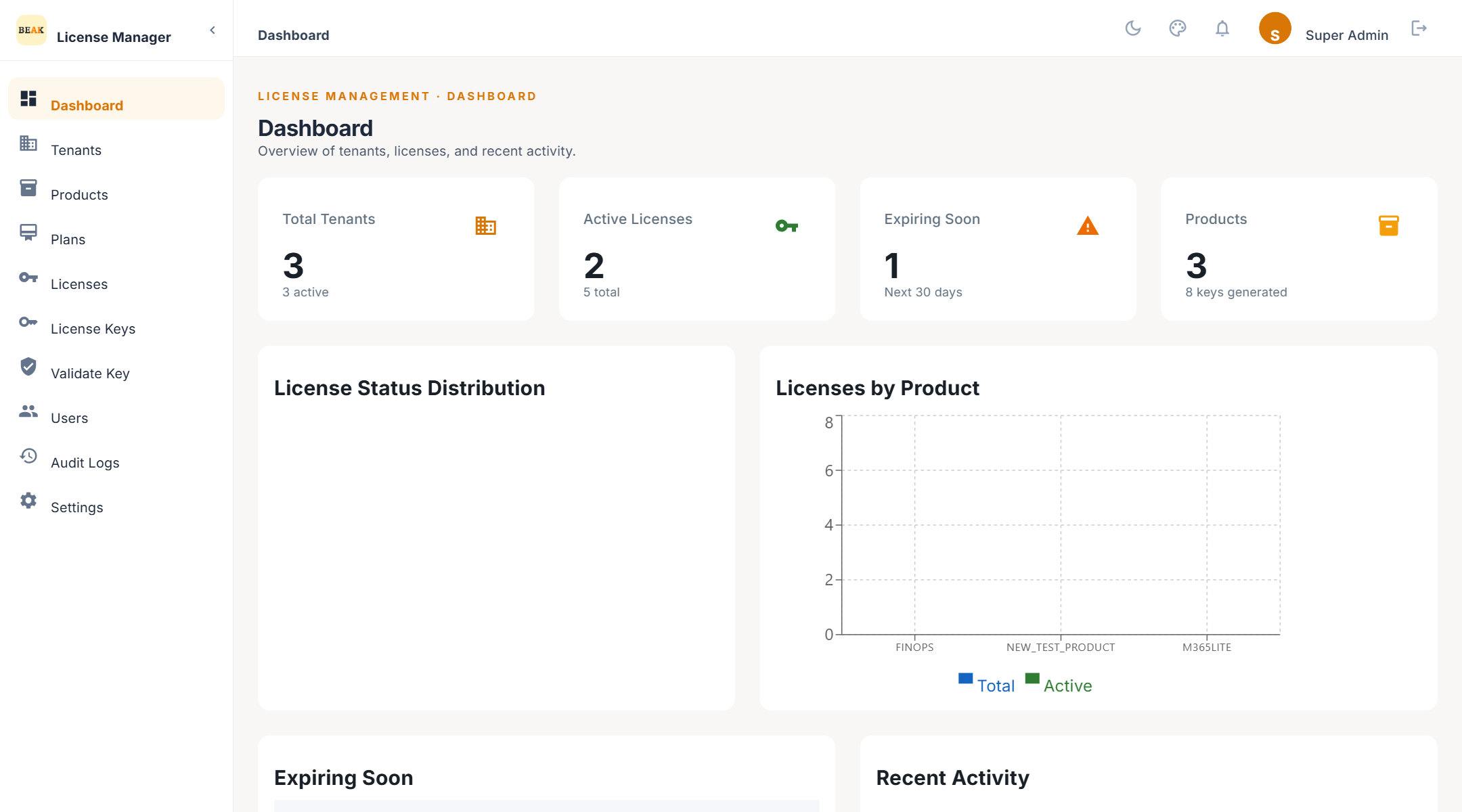
Key Capabilities
Product and Plan Catalogue
Register every Beak product with its version, its feature catalogue, and the metric it is sold by — devices, users, employees, technicians, agents, or storage. Define subscription plans per product as Trial, Basic, Professional, or Enterprise tiers, each with a unit limit, a term, and the features it unlocks.
Tenant and Client Management
Model each customer organisation as a tenant with its own contact details, domain, and client allowance. Clients represent the individual installations or business units inside a tenant that consume a licence.
Licence Lifecycle Control
Issue licences that bind a tenant, a product, and a plan. Move them through Draft, Active, Activated, Suspended, Pending Renewal, Expired, and Revoked with guarded transitions, renew them with new dates or limits, and track reported usage against the plan limit.
Signed Product Keys
Generate cryptographically random keys in the BEAK-XXXX-XXXX-XXXX-XXXX format, each carrying a signed payload that ties it to its licence, product, tenant, and plan. Keys can be emailed to the customer, bound to a machine on first activation, revoked, and re-issued.
Public Validation API
A single unauthenticated endpoint, POST /api/v1/validate/key, serves every Beak product identically. It returns whether the key is valid, the licence status, the entitled features, the metric limit and usage, and the days remaining.
Automated Expiry, Warnings, and Reminders
Scheduled jobs expire lapsed licences overnight, send expiry warnings at 7, 3, and 1 days before the end date, and send renewal reminders to licences approaching or past their term.
Audit Trail
Every create, update, lifecycle change, key generation, key validation, and sign-in is recorded with the acting user, the entity, and a description.
How the Pieces Fit Together
- Product — A Beak product such as M365 Lite, identified by a code that installers send when they validate. Carries a version and a feature catalogue.
- Plan — A tier of a product. Sets the metric, the unit limit, the term in days, and the subset of product features it grants.
- Tenant — A customer organisation. Owns clients and licences.
- Licence — One tenant, one product, one plan. Has a status, an expiry date, a metric limit, and the features actually granted.
- Key — The signed string a customer enters into the product. A licence can have several keys; each key validates against its licence.
Navigation
| Menu item | Purpose | Documentation |
|---|---|---|
| Dashboard | Tenant, licence, and product counts, expiring licences, recent activity | Dashboard |
| Tenants | Customer organisations and their clients | Tenants |
| Products | The Beak products that can be licensed | Products |
| Plans | Subscription tiers per product | Plans |
| Licenses | Issued licences and their lifecycle | Licenses |
| License Keys | Key generation, delivery, and revocation | License Keys |
| Validate Key | Check any key the way a product would | License Keys |
| Users | Operator accounts and roles | Users and Roles |
| Audit Logs | Who did what, and when | Audit Logs |
| Settings | Platform information, password, email delivery, notifications, templates | Settings |
Roles at a Glance
- Super Admin — Full control of every entity, including users and settings.
- Tenant Admin — Reads tenants, products, plans, licences, and keys; manages clients; updates licences.
- Tenant User — Read-only access to licences, keys, products, plans, clients, and the dashboard.
See Users and Roles for the full permission matrix.
Best Practices
- Create the product before its plans — A plan always belongs to a product, and its selectable features come from the product's catalogue.
- Keep product codes stable — The code is what installers send as
product_code. Renaming a product does not change the code it was created with. - Issue one licence per tenant per product — Renew and adjust an existing licence rather than issuing a second one, so usage history and renewal counts stay in one place.
- Validate before you send — Use the Validate Key tool on a freshly generated key to confirm it resolves to the intended tenant, product, and plan before emailing it.